YouTube Shorts Transcript: How to Get the Text of Any Short
Quick answer: YouTube doesn’t show a transcript panel for Shorts, but Shorts have captions like any other video. Copy the Short’s link (Share → Copy link, or the youtube.com/shorts/… address) and paste it into TranscriptFlow — the full text appears in seconds, ready to copy or download.
Do YouTube Shorts have transcripts?
Yes, most do. YouTube auto-generates captions for Shorts with speech, just like regular videos, so a transcript exists behind the scenes. What Shorts lack is a button to show it. Pasting the /shorts/ link into a transcript tool reads those captions directly. The exceptions: Shorts with no speech (music or sound only), Shorts uploaded in the last few hours, and Shorts whose creator turned captions off — see what to do when there’s no transcript.
Why Shorts don’t show a transcript
The Shorts player is a stripped-down vertical interface: no description panel, no “…more” menu, and therefore no “Show transcript” button. The captions still exist behind the scenes — YouTube auto-generates them for Shorts exactly as it does for regular uploads. You just need a way to read the caption track without the panel.
Get a Short’s transcript in 3 steps
- Copy the link. Tap Share → Copy link in the app, or copy the address from the browser bar. Shorts links look like
https://youtube.com/shorts/VIDEOID. - Paste it into TranscriptFlow. Shorts links are recognised automatically — no need to convert them to a normal watch URL.
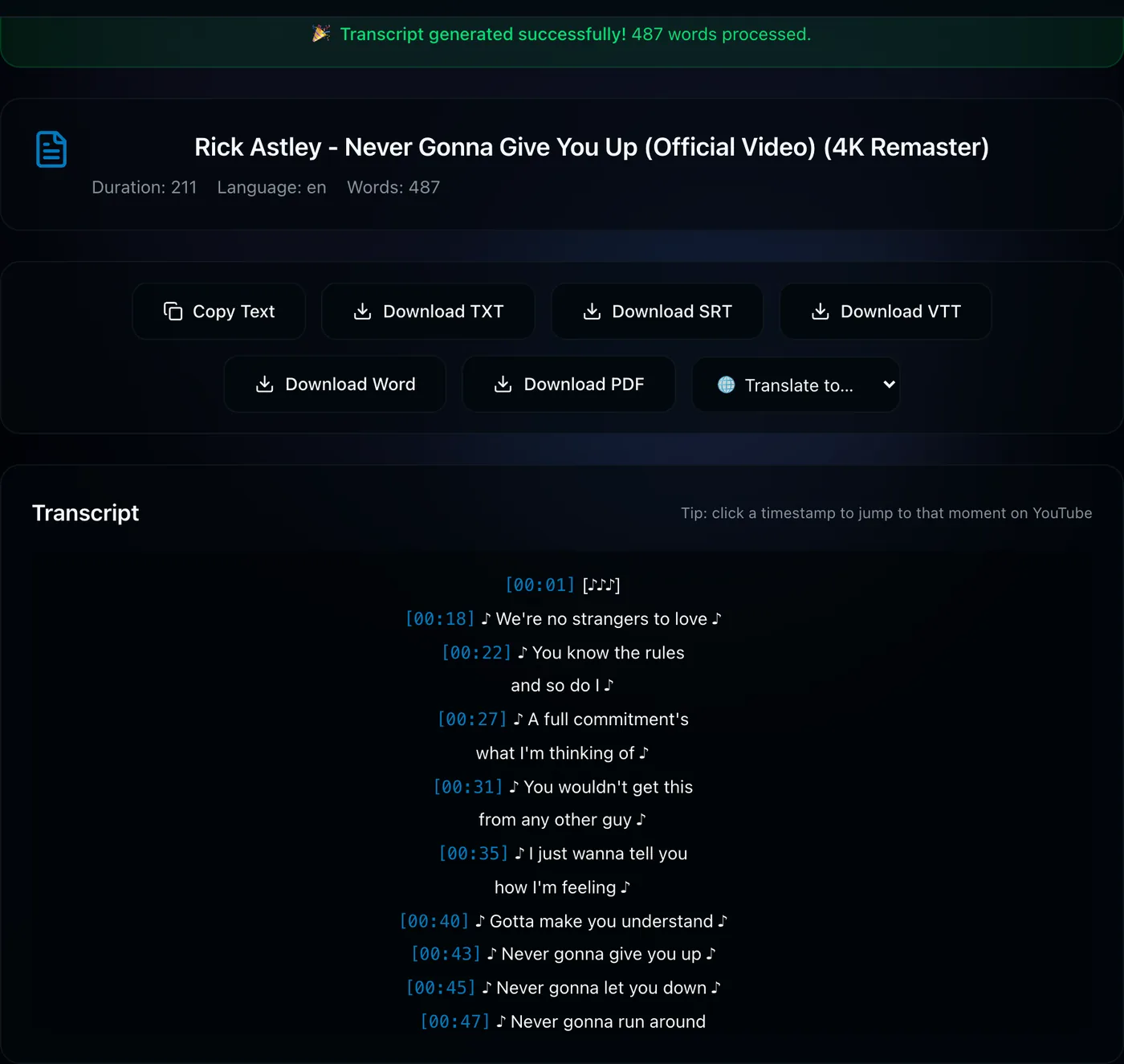
- Copy or download. Use Copy Text for the script, or download TXT/SRT/VTT/PDF/Word. For a 60-second Short the whole thing takes about two seconds.
What people use Shorts transcripts for
- Saving a script or quote word-for-word instead of pausing and retyping.
- Studying hooks. Creators pull the transcripts of high-performing Shorts to analyse structure and pacing.
- Reusing your own Shorts as captions, post text, or a blog snippet.
- Translation. Fetch the transcript, then use the translate menu to read a Short in your language.
Bulk: transcripts for many Shorts at once
If you need dozens of Shorts — a whole channel’s worth, or a playlist — the playlist tool accepts a channel link or a pasted list of Shorts URLs and exports everything in one pass (first two videos are free to try).
Have a Shorts link ready? Paste it — the transcript takes about two seconds.
Get the Short’s transcript →Frequently asked questions
Do YouTube Shorts have transcripts?
Yes, most do. YouTube auto-generates captions for Shorts with speech, just like regular videos, but the Shorts player has no transcript button to show them. A transcript tool can read the caption track directly from the /shorts/ link. Shorts with no speech (music only) or that were just uploaded may have no captions yet.
How do I get the transcript of a YouTube Short?
Tap Share → Copy link on the Short (or copy the youtube.com/shorts/… address), paste it into TranscriptFlow and press Get Transcript. The full timestamped text appears in a couple of seconds, ready to copy or download as TXT, SRT, VTT, PDF or Word.
How do I copy the text of a YouTube Short?
Copy the Short’s link with Share → Copy link, paste it into TranscriptFlow, and click Copy Text once the transcript appears. Timestamps can be toggled off for a clean script.
Do I need to convert the shorts URL to a normal watch URL?
No. Links in the youtube.com/shorts/… format are recognised directly.
Can I get transcripts for all the Shorts on a channel?
Yes, with the playlist and channel tool — paste the channel link or a list of Shorts URLs to export them together.