How to Copy a YouTube Transcript (Full Text, One Click)
Quick answer: To copy a YouTube transcript, paste the video link into TranscriptFlow, click Generate Transcript, then click Copy Text. The entire transcript lands on your clipboard as clean, readable text — paste it straight into a doc, email, or an AI chat. No signup, works on phone and desktop.
Why copying from YouTube itself is painful
YouTube does have a transcript panel, but it was never built for copying. Select the text and you get every line prefixed with its timestamp, one line at a time, so a 20-minute video becomes hundreds of fragments you have to clean up by hand. On phones the panel is buried or missing entirely. If you actually want to use the words — quote them, summarize them, feed them to ChatGPT — that output is more trouble than it's worth.
Copy the whole transcript in one click
A transcript generator fetches the same captions and hands you the finished text:
- Copy the video URL from your browser's address bar, or from the Share button in the YouTube app.
- Paste it into the TranscriptFlow transcript generator and press Generate Transcript.
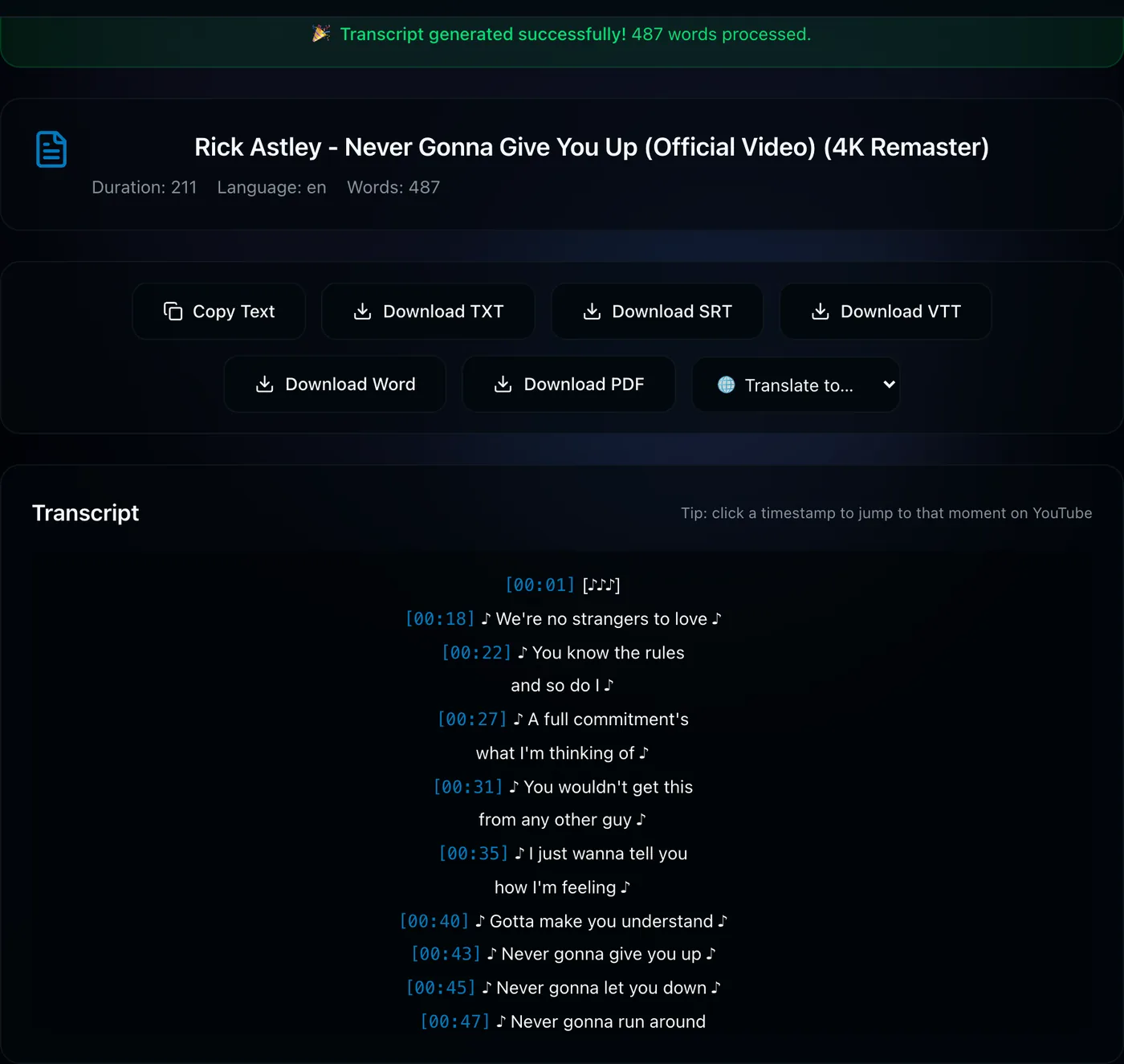
- When the transcript appears, click Copy Text — the full transcript is now on your clipboard.
- Paste it wherever you need it: Google Docs, Word, Notion, an email, or an AI assistant.
Copy with or without timestamps
The copied text keeps readable [MM:SS] timestamps so you can trace any line back to the moment it was said. Want text only? Paste into a document and delete the timestamps, or download a plain TXT file, which is easy to strip. If you need the transcript for subtitles instead, grab an SRT or VTT file, which keeps precise timing for video editors.
Tip: Copying a transcript into ChatGPT, Claude, or Gemini is one of the most popular uses — text is far cheaper and faster for AI tools to read than video. Paste and ask for a summary, key points, or a study guide.
Copy a transcript now →Working with more than one video?
If you need the transcripts of an entire course or channel, don't copy them one at a time. The playlist transcript downloader pulls a whole playlist at once and gives you a single combined file. And if you'd rather translate before copying, see translating YouTube subtitles.
Frequently asked questions
How do I copy the whole YouTube transcript at once?
Paste the video link into TranscriptFlow, generate the transcript, and click Copy Text. The entire transcript is copied as clean paragraphs, ready to paste anywhere.
Why can't I copy the transcript from YouTube directly?
YouTube's panel copies text line by line with timestamps mixed in, and on mobile the panel is often missing. A transcript generator gives you the full text in one clean block instead.
Can I copy a transcript without timestamps?
Yes — copy the text and remove the timestamps in your document, or download a plain TXT file if you prefer text only.