How to Save a YouTube Transcript as PDF or Word
Quick answer: Paste the video link into TranscriptFlow, click Generate Transcript, then click PDF or Word. You get a properly formatted document — with the video title, timestamps, and source link — named after the video. It's free, needs no signup, and there's a Latin-and-Hindi-friendly font built in so non-English transcripts render correctly.
Why PDF and Word beat plain text
Copying raw text is fine for a quick paste, but a document is what you actually hand in, file, or share. A PDF looks the same on every device and is ideal for reading, printing, or attaching to an email. A Word (.docx) file is editable — perfect when you need to clean up auto-captions, add notes, or drop the transcript into a report. Both keep the video's title as a heading and the clickable-style timestamps, so the document is usable, not just a wall of text.
Step by step
- Open the TranscriptFlow transcript generator.
- Paste the YouTube URL and press Generate Transcript.
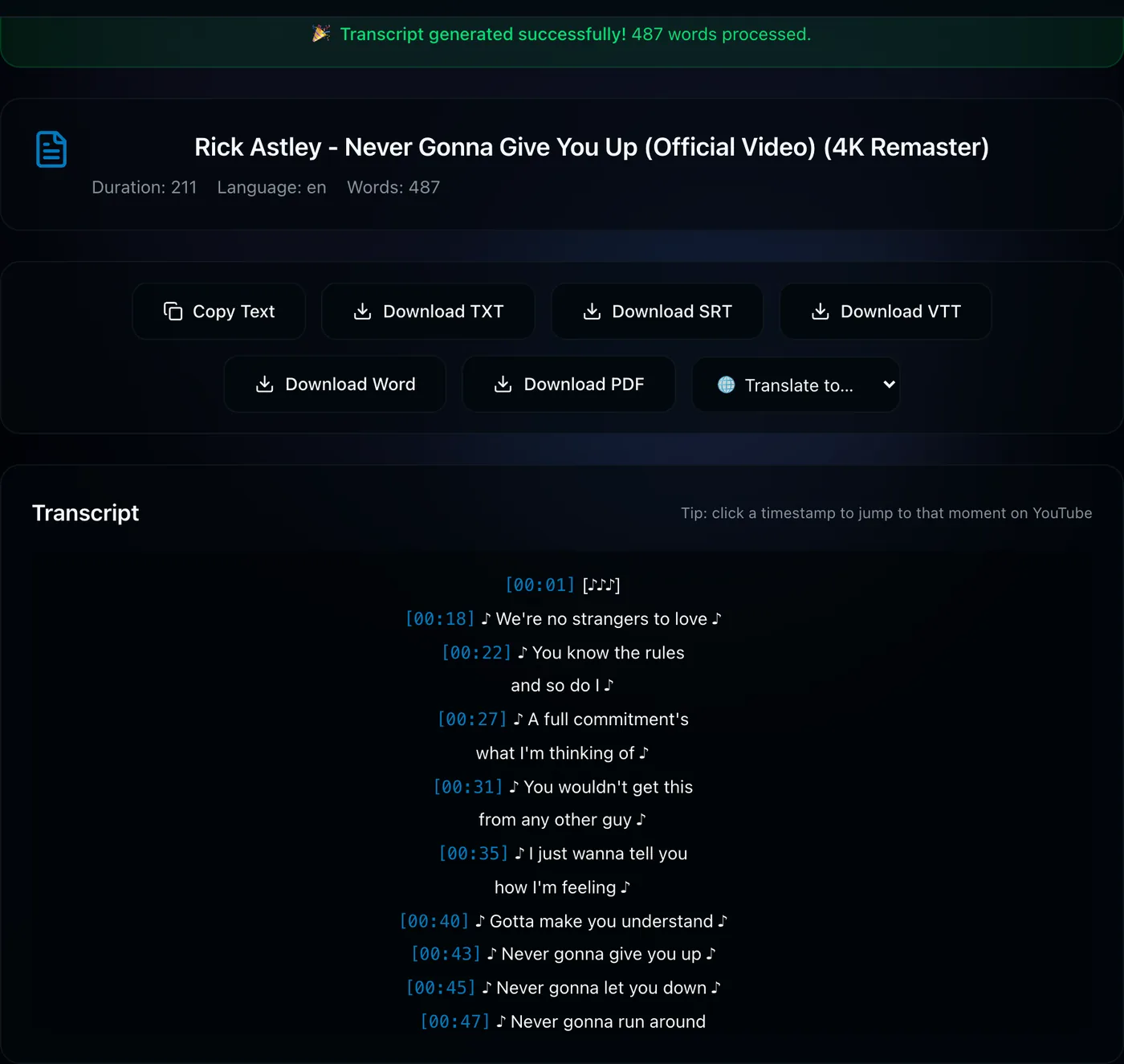
- When the transcript appears, click PDF or Word in the actions row.
- A short "Preparing your file" popup appears, then the download starts automatically — the file is named after the video.
Non-English transcripts (Hindi, Arabic, and more)
A common frustration with other tools is that Hindi or Arabic transcripts come out as empty boxes in the PDF. TranscriptFlow bundles the right fonts and shaping, so Devanagari, Arabic, and other scripts render properly in both PDF and Word. Long videos build quickly too — a multi-hour transcript is ready in seconds, not minutes.
Turn a whole playlist into one document
Studying a course or archiving a channel? Instead of exporting each video separately, the playlist transcript downloader can stitch an entire playlist into one combined PDF or Word document — a title page and a chapter per video. It's like getting the "book" of a course in a single file. The first two videos of any playlist are free to try.
Great for: course notes you can annotate, research transcripts you can cite, interview archives, and handing a clean document to a colleague or an AI assistant.
Download a transcript as PDF →Frequently asked questions
Can I download a YouTube transcript as a PDF?
Yes — generate the transcript on TranscriptFlow and click PDF. You get a formatted document with the title, timestamps, and source link.
Can I get a YouTube transcript as an editable Word document?
Yes — click Word for a .docx you can edit in Word, Google Docs, or Pages, with headings and timestamps preserved.
Can I save a whole playlist's transcripts as one PDF?
Yes, with TranscriptFlow Pro's playlist tool — export the entire playlist as one combined PDF or Word document.