Get a YouTube Transcript Without an Extension
Quick answer: You don't need a Chrome extension. Paste the YouTube link into TranscriptFlow — a web tool that runs in any browser — and the full transcript appears in seconds. Nothing to install, no permissions to grant, and it works on phones where extensions don't.
Why skip the extension
Transcript extensions are convenient if you pull transcripts dozens of times a day, but they come with real trade-offs:
- Permissions. Most ask to "read and change data on the sites you visit." That's a broad grant for a single feature.
- One browser only. An extension installed in Chrome does nothing in Safari, Firefox, or on your phone.
- Maintenance. When YouTube changes its page layout, extensions break until they're updated.
- Clutter. Another icon, another thing to keep updated and trust.
For occasional or even regular use, a website does the same job with none of that.
How to do it in the browser
- Copy the video URL from the address bar, or from the Share button in the YouTube app.
- Open transcriptflow.io in any browser.
- Paste the link and press Generate Transcript.
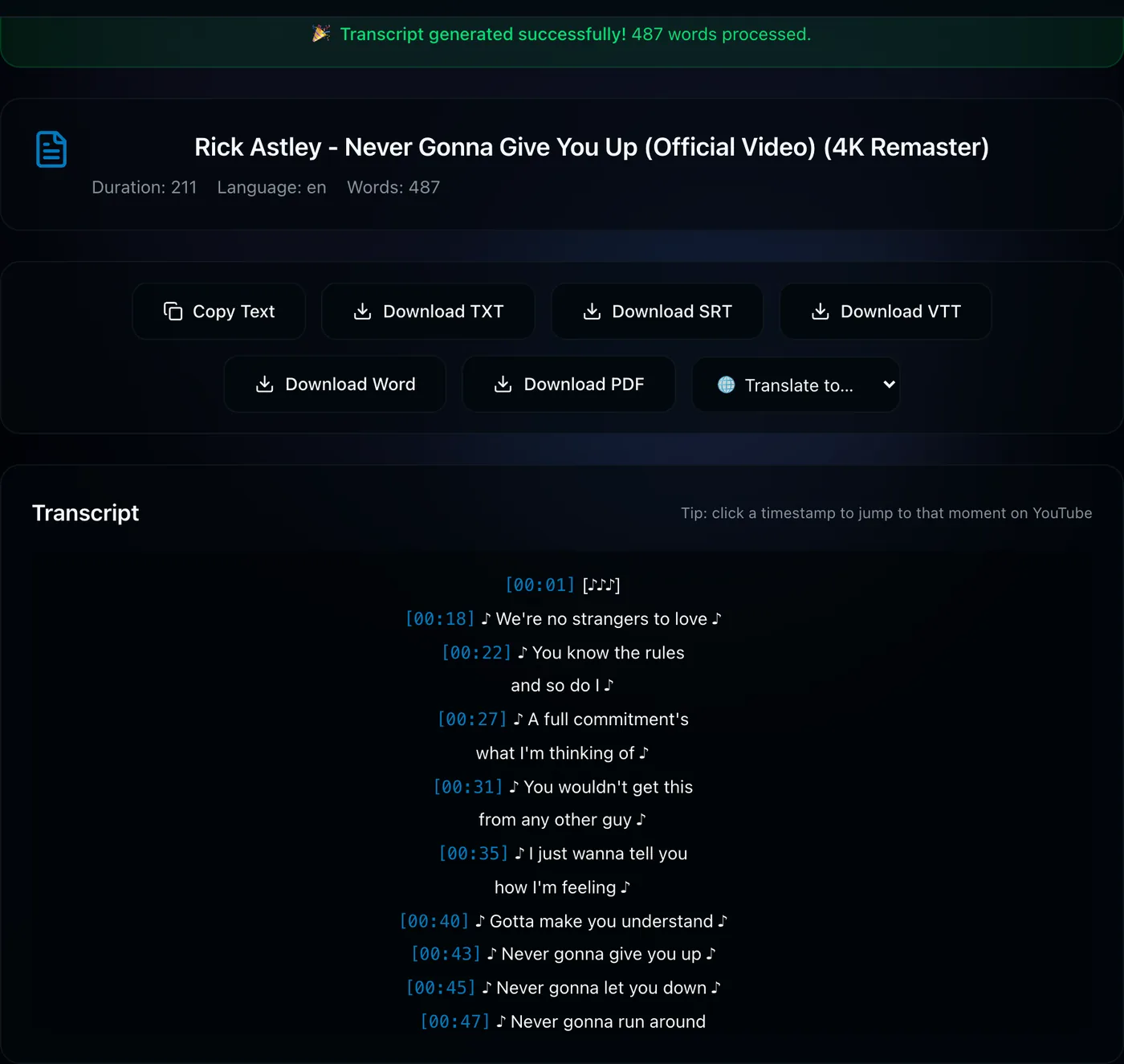
- Read it, copy it, translate it, or download it as TXT, SRT, VTT, PDF, or Word.
What you don't give up
A web tool isn't a stripped-down option. You still get clickable timestamps, one-click copy, translation into other languages, downloads in five formats, and even whole-playlist exports. It just happens on a page instead of inside your browser's toolbar — and it works everywhere, including on your phone.
Privacy note: TranscriptFlow doesn't require an account and doesn't store your video URLs or transcripts. Each request is processed independently.
Get a transcript — no install →Frequently asked questions
How do I get a YouTube transcript without a Chrome extension?
Use a web-based generator — paste the link into TranscriptFlow in any browser and the transcript appears in seconds. Nothing to install.
Are transcript extensions safe?
Most are, but they request permission to read the pages you visit and only work in the one browser they're installed in. A web tool avoids both concerns.
Does a web transcript tool work on mobile?
Yes — because there's nothing to install, it works in any mobile browser on Android or iPhone, where most extensions don't work at all.