How to Search Inside a YouTube Video Transcript
Quick answer: Open the video’s transcript and search it. On YouTube desktop: “…more → Show transcript”, then Ctrl+F / Cmd+F. Faster: paste the link into TranscriptFlow, type in the search box above the transcript, and every match is highlighted with a clickable timestamp that jumps the video to that moment. Works on phones too, where YouTube’s panel is missing.
Method 1: YouTube’s own transcript panel + browser find
- Below the video, click …more in the description, then Show transcript.
- Press Ctrl+F (Windows) or Cmd+F (Mac) and type the word.
- Your browser highlights matches inside the panel; click a line to jump the video there.
Limitations: the panel is only on desktop, it’s split into short fragments so multi-word phrases often don’t match, and long videos load slowly.
Method 2: a searchable transcript (any device)
- Paste the video link into TranscriptFlow and press Get Transcript.
- Type into the search box above the transcript. Matches highlight instantly and the count updates as you type.
- Click any highlighted line’s timestamp to open the video at that exact second.
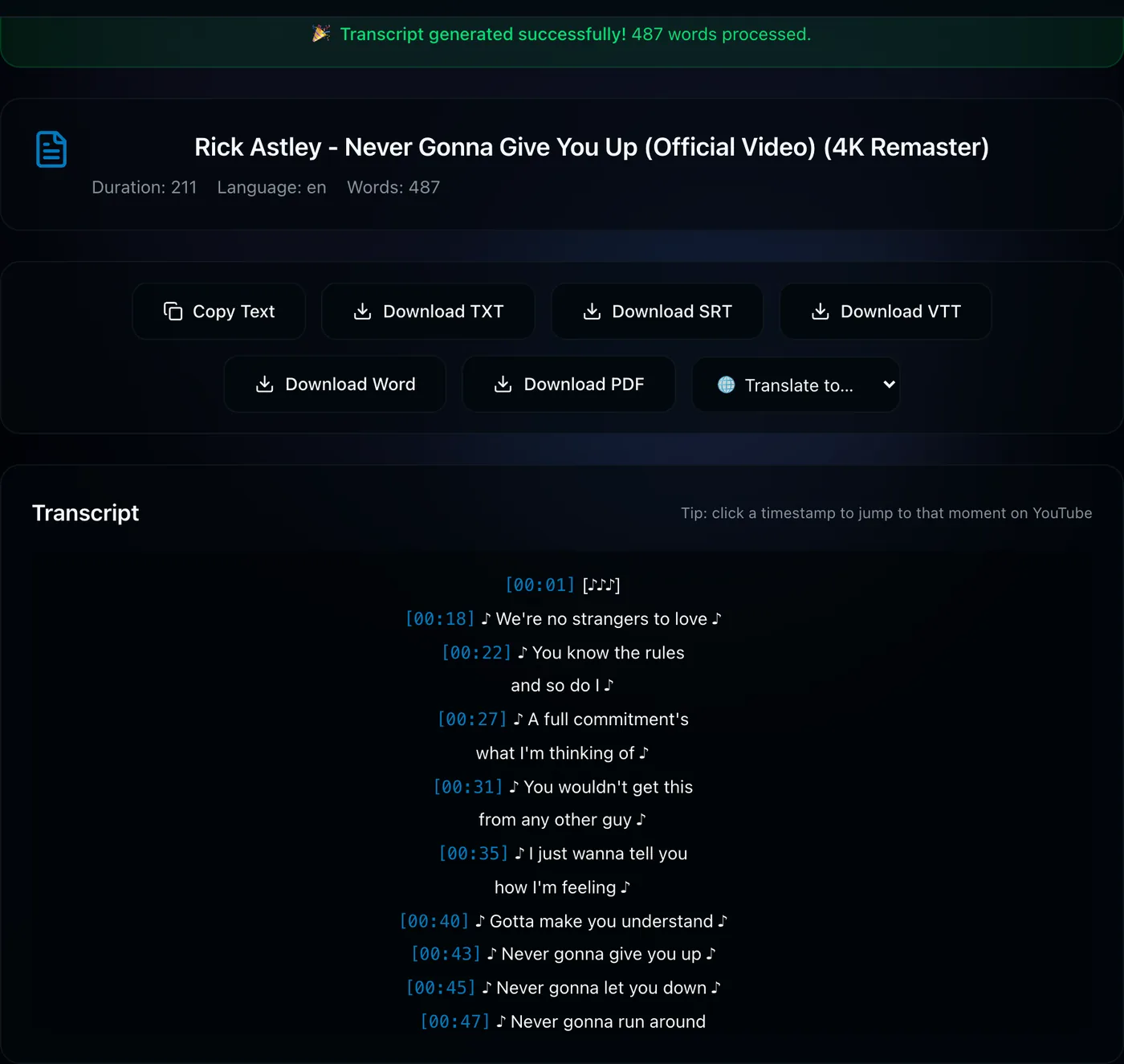
Because the transcript is one continuous text, phrases work as well as single words, and it runs on phones where YouTube hides the panel entirely.
Searching across many videos
Looking for where a topic comes up across a whole course or channel? The playlist tool fetches every transcript and lets you search all of them at once, listing which videos mention the term and where.
Tips for better results
- Search stems. Type “encrypt” to catch encrypt, encrypted and encryption.
- Auto-captions misspell names. Try a phonetic spelling or a nearby common word if a proper noun doesn’t match.
- Download for offline search. Export TXT or Word and use your editor’s find — handy for citations.
Find that moment now: paste the link, type the word, click the timestamp.
Search a transcript →Frequently asked questions
How do I search for a word in a YouTube video?
Open the transcript and search it. On desktop use YouTube’s Show transcript panel with Ctrl+F; on any device paste the link into TranscriptFlow and use the search box above the transcript, which highlights every match with a clickable timestamp.
Can I search a YouTube transcript on my phone?
Yes — the YouTube app has no transcript panel, but a web transcript tool works in any mobile browser and includes search.
Can I find a YouTube video based on what is said in it?
Within a playlist or channel, yes: the playlist tool fetches all transcripts and searches across them, showing which videos contain the term. YouTube’s main search does not index spoken words for arbitrary videos.
Does searching work for multi-word phrases?
Yes in a continuous transcript. YouTube’s panel splits text into short fragments, so phrases that span two lines often fail there.